User Management
Admins can create, edit, and manage users from the Users page in the admin section.
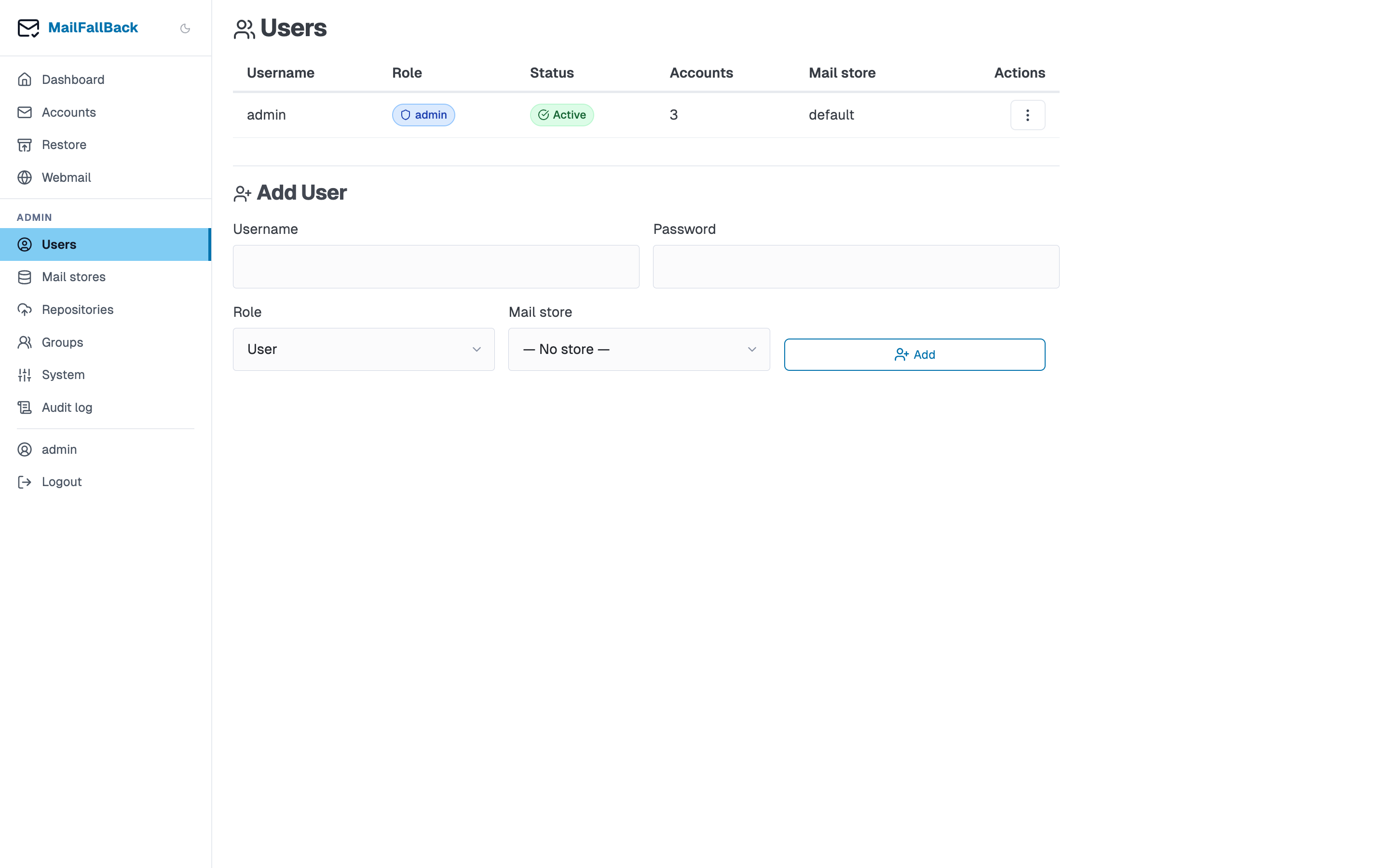
User List
The users table shows:
| Column | Description |
|---|---|
| Username | Login name |
| Role | admin or user |
| Store | Assigned mail store |
| Accounts | Number of owned email accounts |
| Enabled | Whether the user can log in |
| Created | Account creation date |
| Actions | Edit, toggle enabled, reset password, delete |
Creating a User
Use the inline "Add User" form below the users table:
- Enter a username (must be unique)
- Enter a password (or leave blank for SSO-only users)
- Select a role (admin or user)
- Select a mail store (determines where new accounts are created)
- Click Create
The user is created immediately and can log in right away.
Editing a User
Click the edit button on a user row to modify:
- Role - promote to admin or demote to user
- Store - change the user's default mail store
- Enabled - toggle login access
Disabling a user
Disabling a user prevents login to MFB, Dovecot (IMAP), and Roundcube. Their backed-up mail remains on disk but is inaccessible until the user is re-enabled. Sync jobs for their accounts continue to run.
Resetting a Password
Click the password reset button to set a new password for a user. This is useful when a user forgets their password and SSO is not configured.
SSO users authenticate through the identity provider and may not have an MFB password at all.
Deleting a User
Click the delete button to remove a user. This requires confirmation.
Account ownership
Deleting a user does not delete their email accounts or backed-up mail. Accounts with no remaining owners become orphaned and visible only to admins. Consider reassigning account ownership before deleting a user.
Roles
| Role | Capabilities |
|---|---|
| admin | Full access: manage users, stores, groups, system settings. See all accounts. Configure SSO and OAuth. |
| user | Manage own accounts. View own sync history. Access webmail. Change own password and preferences. |
SSO Users
When OIDC is enabled, users are automatically created on first SSO login. The OIDC group claims determine the role:
- Members of the
oidc_admin_groupget theadminrole - Members of the
oidc_user_groupget theuserrole - Users not in either group are denied access
SSO users can also log in with a local password if one is set.
Allowed Stores
Admins can restrict which mail stores a user can select for their accounts. By default, a user is allowed only their assigned store. To grant access to additional stores:
- Edit the user
- Select the allowed stores
- Save
This controls the store dropdown when the user creates or edits accounts.